

One of the new changes in Windows 7 and Vista is that each user has a “Home” directory that is actually accessible and meant to be used. In XP and 2k, you had a hidden home directory that you weren’t meant to muck around in.
Some of the new features, like the Downloads directory, are only accessible through your Home directory, which is why it makes sense to put an icon for it right on the desktop.
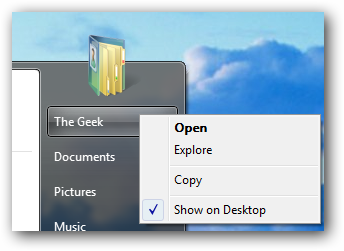
To do this, click the Start button, and then right click on your User name. Choose the Show on Desktop option:
Alternate Method
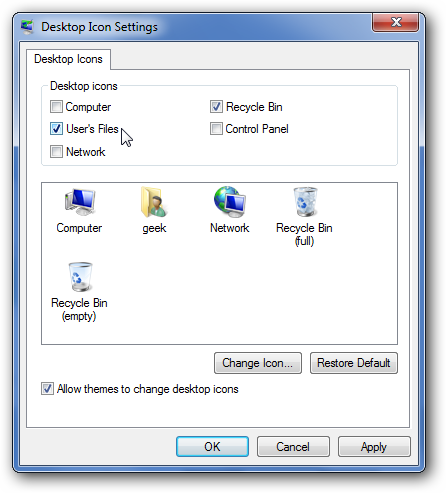
You can also right-click on the desktop, choose Personalize from the menu, and then Desktop Icons on the left-hand pane.
From this screen, you can simply check the box for user’s files to add the icon to the desktop.













0 comments