


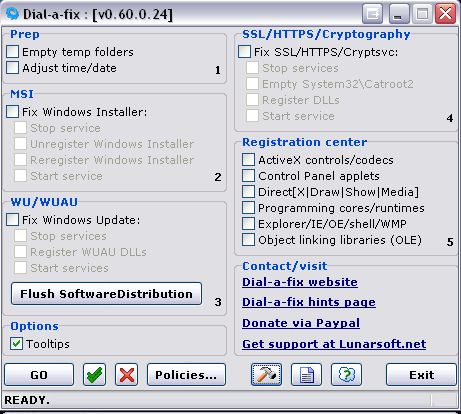
DIAL A FIX
Dial-a-fix is a collection of known fixes gleaned from Microsoft Knowledgebase articles, Microsoft MVPs, and other important support forums, that will assist you in repairing problems with your system. Although this tool is ordinarily meant for power users, technicians, and administrators, it is quite safe to use even without technical guidance (although guidance is recommended). Simply choose the solutions you wish to apply via checkmarks, and click GO.
LSP-Fix
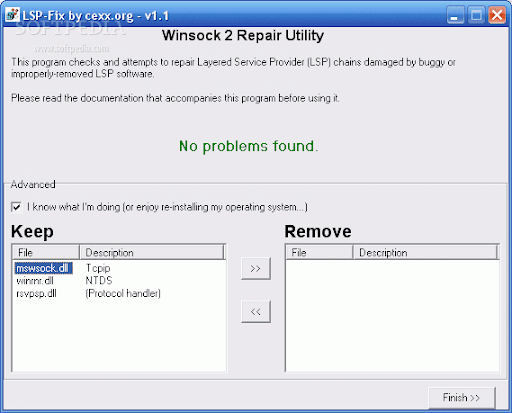
LSP-Fix is a free tool designed to fix internet connections damaged by malware or buggy software. The Layered Service Provider (aka LSP) is a part of your operating system that your computer uses to connect to the internet. Some legitimate software (such as firewalls) and illegitimate software (such as malware/adware/spyware) place files in this location and if they become buggy or removed incorrectly, you will no longer be able to connect to the internet. LSP-Fix will show you the files placed in this zone and will suggest which ones need to be removed to gain internet access again.
LSP-Fix is a free tool designed to fix internet connections damaged by malware or buggy software. The Layered Service Provider (aka LSP) is a part of your operating system that your computer uses to connect to the internet. Some legitimate software (such as firewalls) and illegitimate software (such as malware/adware/spyware) place files in this location and if they become buggy or removed incorrectly, you will no longer be able to connect to the internet. LSP-Fix will show you the files placed in this zone and will suggest which ones need to be removed to gain internet access again.
Autoruns Detecter
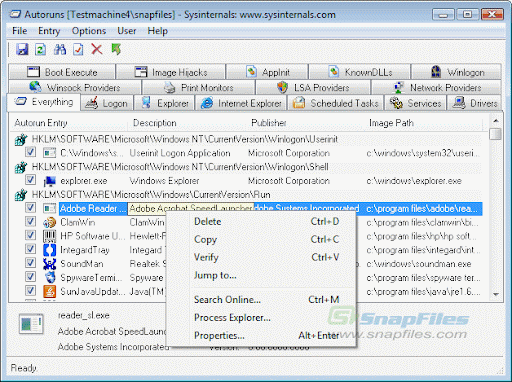
This free tool allows you to view nearly everything on your system that is set to automatically run and goes far beyond the capabilities of MSConfig. This tool can show you files that are in your startup folder, files being launched from the registry, files that are launched by TaskScheduler, files that Windows starts by default such as DLL’s, Microsoft and 3rd party services and much more.
This free tool allows you to view nearly everything on your system that is set to automatically run and goes far beyond the capabilities of MSConfig. This tool can show you files that are in your startup folder, files being launched from the registry, files that are launched by TaskScheduler, files that Windows starts by default such as DLL’s, Microsoft and 3rd party services and much more.













0 comments